Creating Flashcards on PC
The Flashcard App SketchCards
With SketchCards, you can conveniently create your flashcards on PC, smartphone, or tablet and study flexibly from anywhere. You can create your flashcards either using the keyboard or handwriting with an iPad or Android tablet. You can use SketchCards from any device in the browser, or use the iOS or Android app.
Creating Flashcards with a Keyboard: Instructions
To create cards, register on SketchCards: Register. Do you have a tablet with drawing functionality? Then follow the instructions for Handwritten Flashcards.
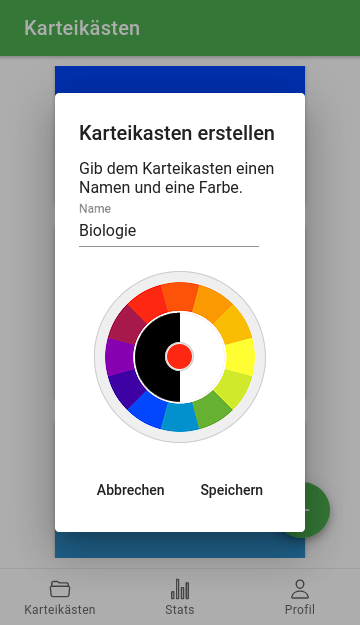
Step 1: Create a Card Box
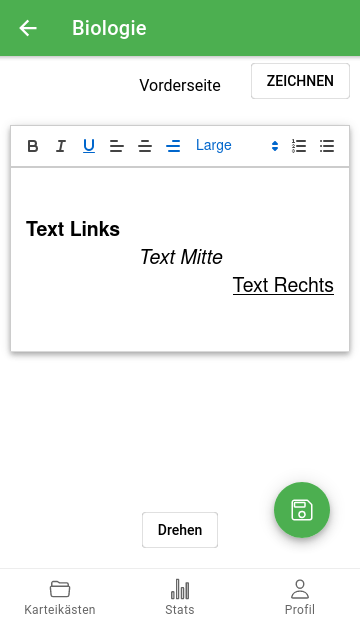
Step 2: Label the Front Side of Your First Flashcard
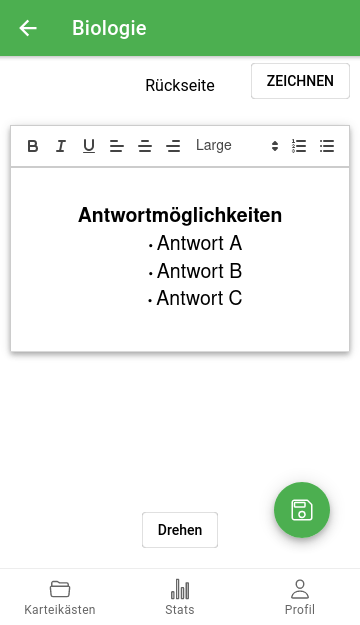
Step 3: Label the Back Side of the Card
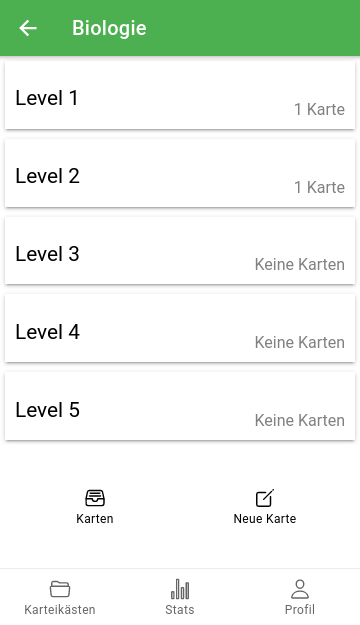
Step 4: Choose the Level You Want to Study
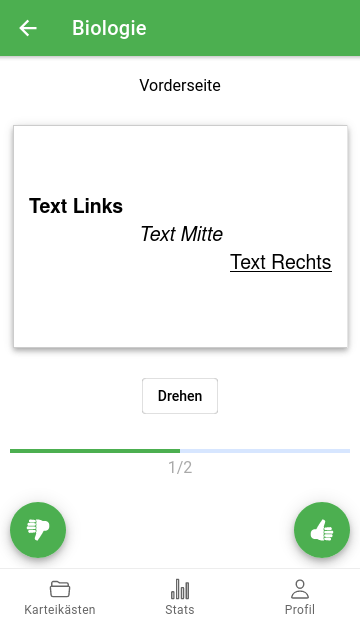
Step 5: Study Your Cards
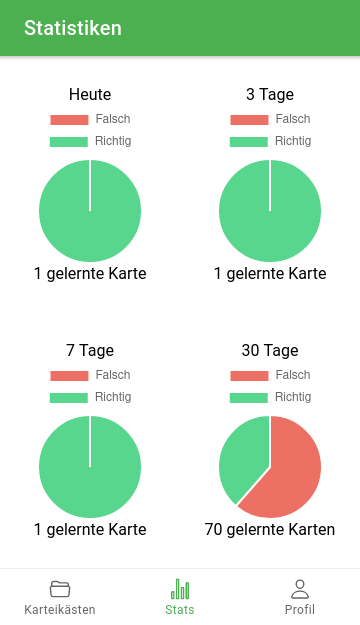
Step 6: Track Your Progress with Statistics
You Might Also Be Interested In
Register now and become part of the community: Register for Free
Here is the guide to creating handwritten flashcards and drawings: Create Handwritten Flashcards
Learn vocabulary with SketchCards: Guide